
Free Works in GreetPlayer Free and Pro.
The Site-wide Bubble shows on every page that doesn’t have a bubble of its own. There is one site-wide bubble at a time.
Step by step
Make a bubble your site-wide bubble.
-
From the bubble editor
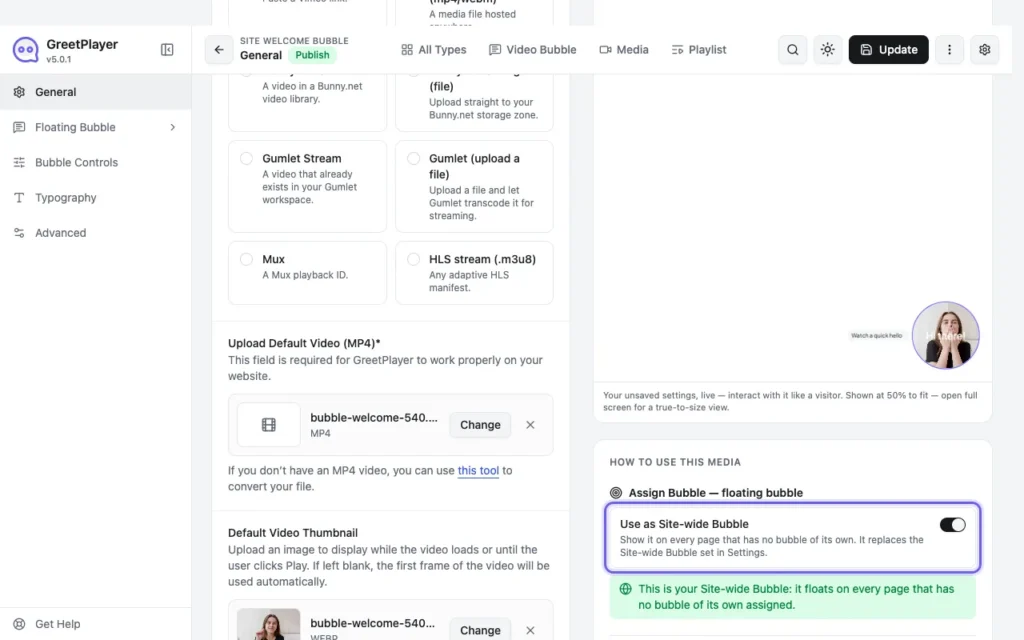
Open the bubble and turn on Use as Site-wide Bubble. It replaces the site-wide bubble set in Settings.
-
Or from Settings
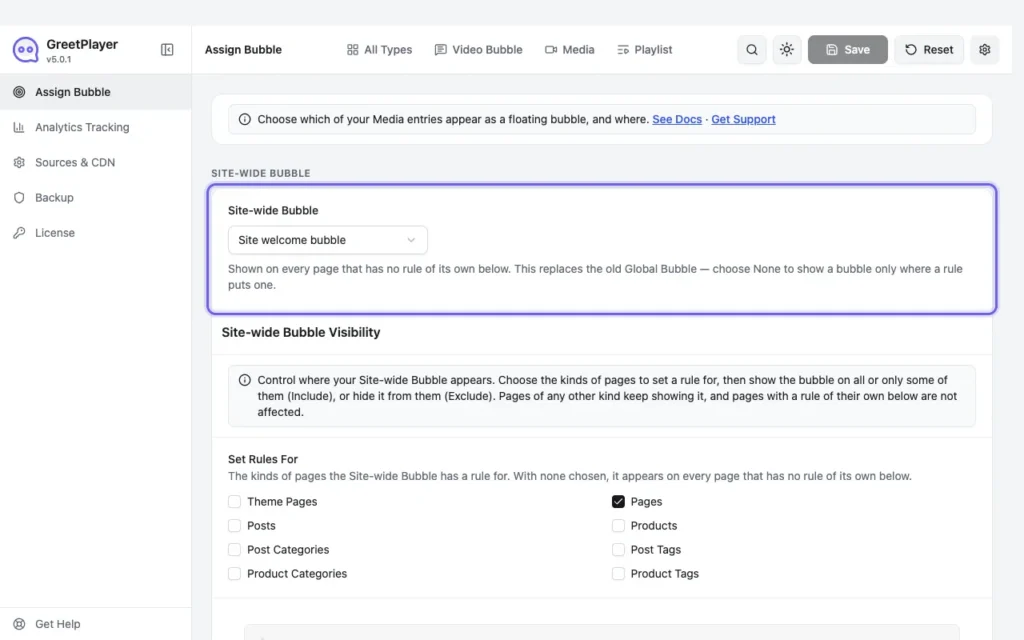
Go to GreetPlayer → Settings → Assign Bubble and choose the bubble under Site-wide Bubble. Choose None to show bubbles only where a rule puts them.

Note Pages with an assignment rule show their own bubble instead. See Show a bubble on specific pages.
See it live Open the site-wide bubble demo →