Halloween Sale: up to 50% off yearly plans and up to 70% off lifetime licences.

Ends Nov 5 at 11:59 pm +06. See pricing

Set the site-wide bubble

Written for GreetPlayer 5.0.1

Free Works in GreetPlayer Free and Pro.

The Site-wide Bubble shows on every page that doesn’t have a bubble of its own. There is one site-wide bubble at a time.

Step by step

Make a bubble your site-wide bubble.

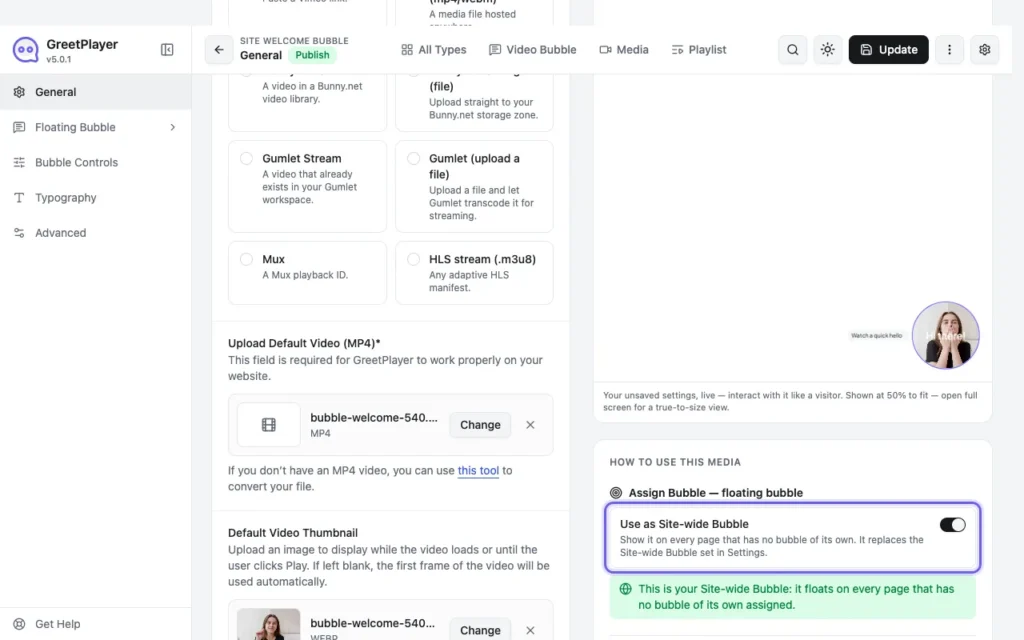
  1. From the bubble editor

    The Use as Site-wide Bubble switch in the bubble editor

    Open the bubble and turn on Use as Site-wide Bubble. It replaces the site-wide bubble set in Settings.

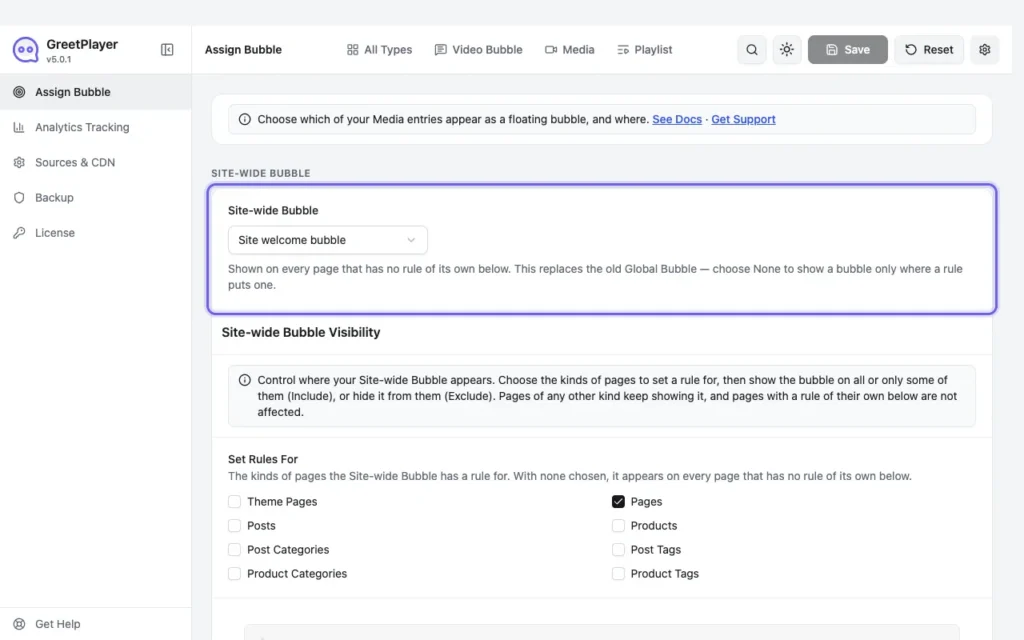
  2. Or from Settings

    Settings Assign Bubble with the Site-wide Bubble selected

    Go to GreetPlayer → Settings → Assign Bubble and choose the bubble under Site-wide Bubble. Choose None to show bubbles only where a rule puts them.

A floating video bubble in the corner of a page with its tooltip
The site-wide bubble in the corner of a page.

Note Pages with an assignment rule show their own bubble instead. See Show a bubble on specific pages.

See it live Open the site-wide bubble demo →

Related

Was this article helpful?

Greet every visitor with a video that moves them to act

Start free from WordPress.org. Upgrade to Pro when you need lead capture forms, premium video sources, device targeting and advanced analytics.

Watch a quick hello
Watch the player demo
See all featuresSee all features
View pricingView pricing