
Free Works in GreetPlayer Free and Pro.
Work through these checks in order. Most missing bubbles come down to one of the first four.
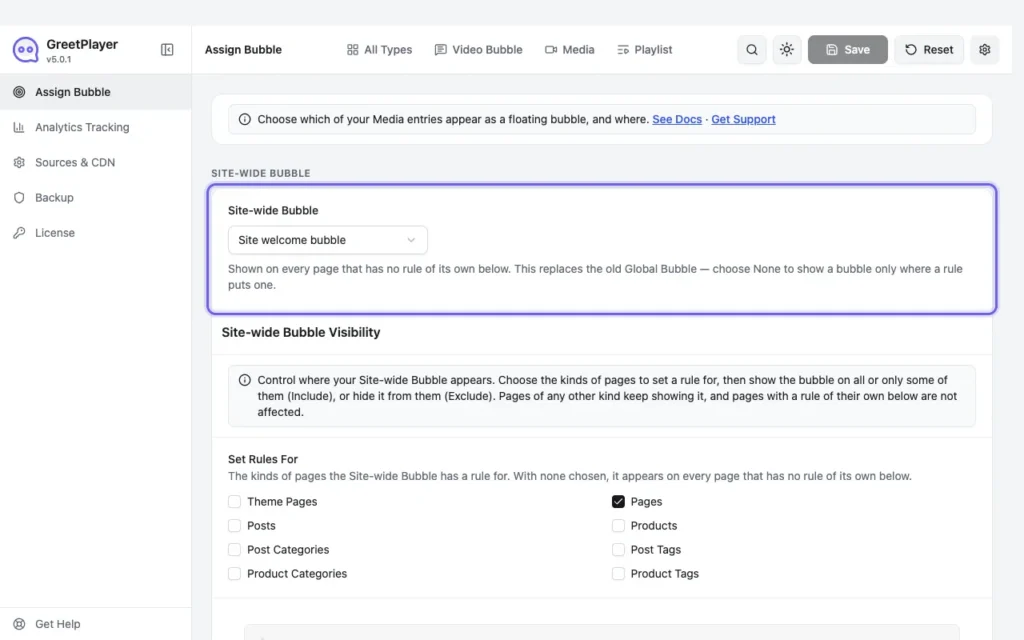
- No site-wide bubble is set. In GreetPlayer → Settings → Assign Bubble, check that Site-wide Bubble isn’t None, or turn on Use as Site-wide Bubble in the bubble.
- The bubble isn’t published, or has no video. Open it in GreetPlayer → Media: the status should be Published, and Upload Default Video (MP4) must be filled in.
- A visibility rule hides it. Check Site-wide Bubble Visibility, which may include only some pages or exclude this one.
- Another rule wins. A page with an assignment rule shows that rule’s bubble instead of the site-wide one.
- Device or delay. Bubble Visibility (Pro) may be set to Desktop Only or Mobile Only. Time-Based Loading may be delaying it.
- You closed it. With Hide For Session (Pro) on, closing the bubble hides it until the browser tab is closed. Try a private window.
- Cache or JavaScript optimisation. Clear your page cache. If an optimisation plugin delays or combines JavaScript, exclude GreetPlayer’s scripts. See Caching and optimisation plugins.
- Theme. The bubble is added in the page footer. Themes that don’t call
wp_footer()can’t show it.
See it live Compare with a working bubble →