
Free Works in GreetPlayer Free and Pro.
A GreetPlayer video player is a Media entry that you embed with a shortcode. It loads as a poster until someone presses play, so it stays light on the page.
Step by step
Create a video player and add it to a page.
-
Create a Media entry
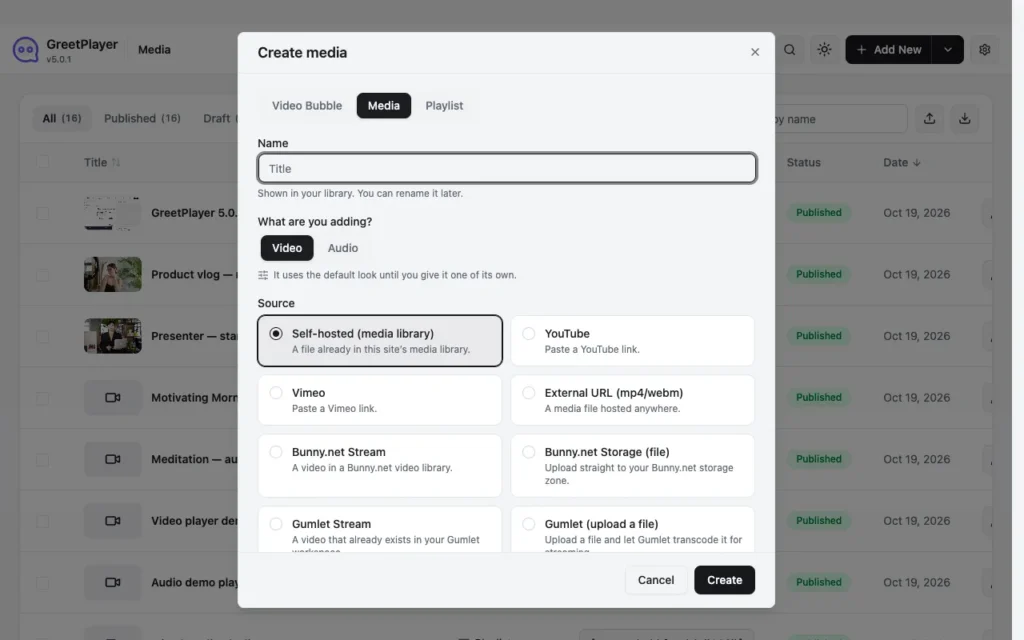
Go to GreetPlayer → Media and click Add New. Choose Media, enter a Name, pick the Source and click Create.
-
Choose the video and poster

In General, choose the video and set the Default Video Thumbnail. The thumbnail is the poster people see before they press play.
-
Pick a skin

Open Video Player → Appearance and choose a Skin: Default, Modern, Simple, Minimal or Standard. Floating and Ambient need Pro.
-
Set how it loads
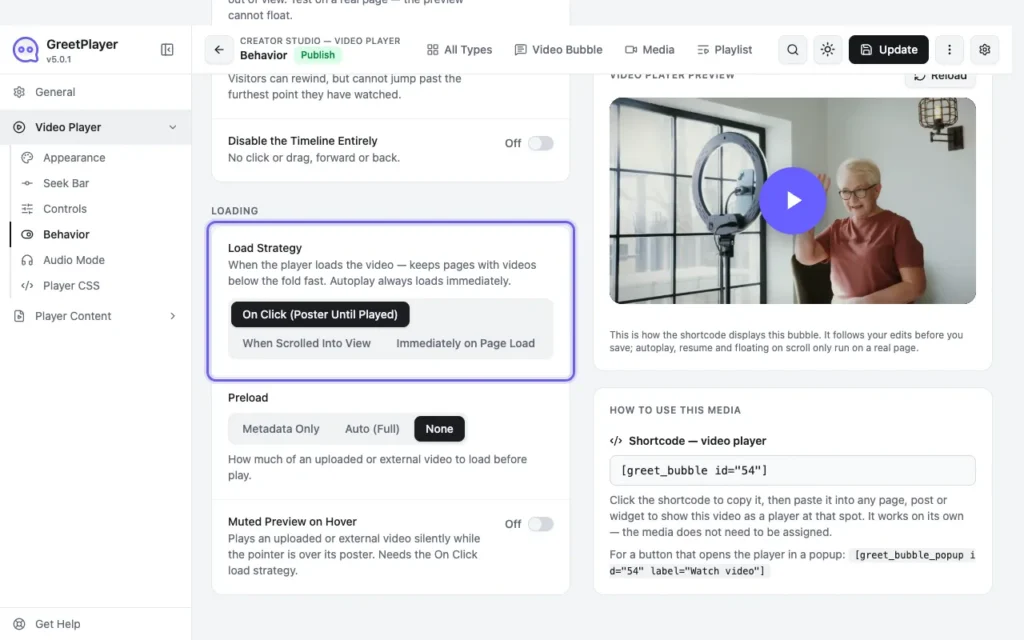
Under Video Player → Behavior, keep Load Strategy on On Click (Poster Until Played) and Preload on None or Metadata Only, so no video downloads until someone presses play.
-
Publish and embed

Click Publish and copy the shortcode under How To Use This Media. In the block editor, add a Shortcode block and paste it.

Tip To give search engines a summary of the video, fill in Player Content → Title & Description → Search Engine Description. It goes into the page’s video structured data only and isn’t shown on the page.
Open the player in a lightbox
To show a button that opens the player in a popup instead, use the popup shortcode: [greet_bubble_popup id="54" label="Watch video"]. The player loads only when the button is clicked.
See it live Open the video player demo →