
Pro Needs GreetPlayer Pro.
With GreetPlayer Pro, any bubble button can open a form instead of a link. This guide uses Fluent Forms; any form plugin that has a shortcode works the same way.
Step by step
Add a Fluent Forms form to a bubble button.
-
Copy the form’s shortcode

In Fluent Forms → Forms, copy the shortcode of the form you want, for example
[fluentform id="1"]. -
Add a button to the bubble
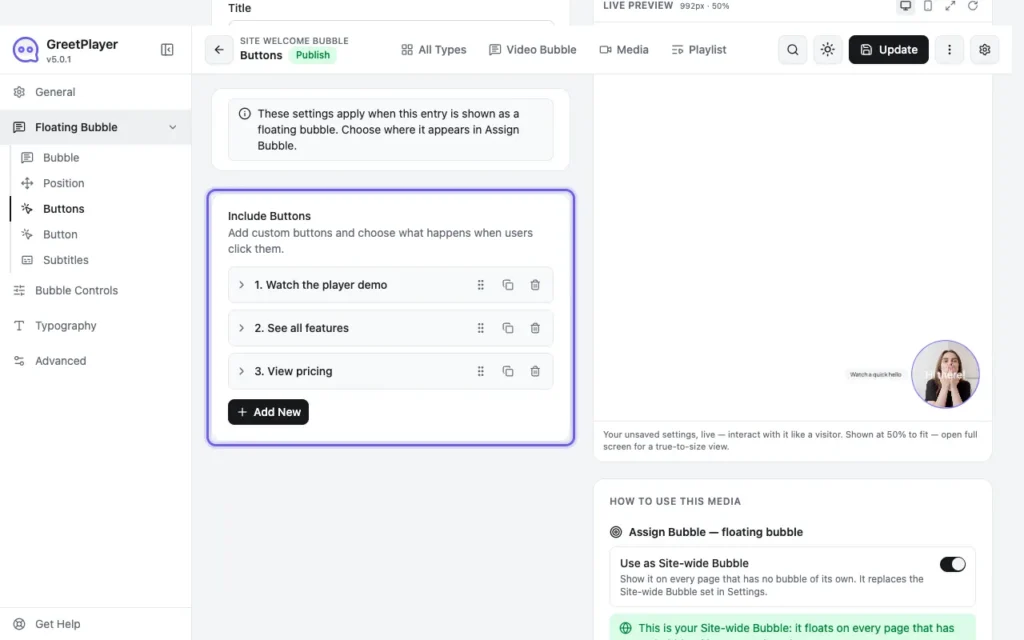
Open your bubble in GreetPlayer → Media. In Floating Bubble → Buttons, turn on Include Buttons and add a button.
-
Set it to open the form

Set Button Action to Contact Form. Set Form Type to Shortcode, paste the shortcode, and add a form title.
-
Style the form popup
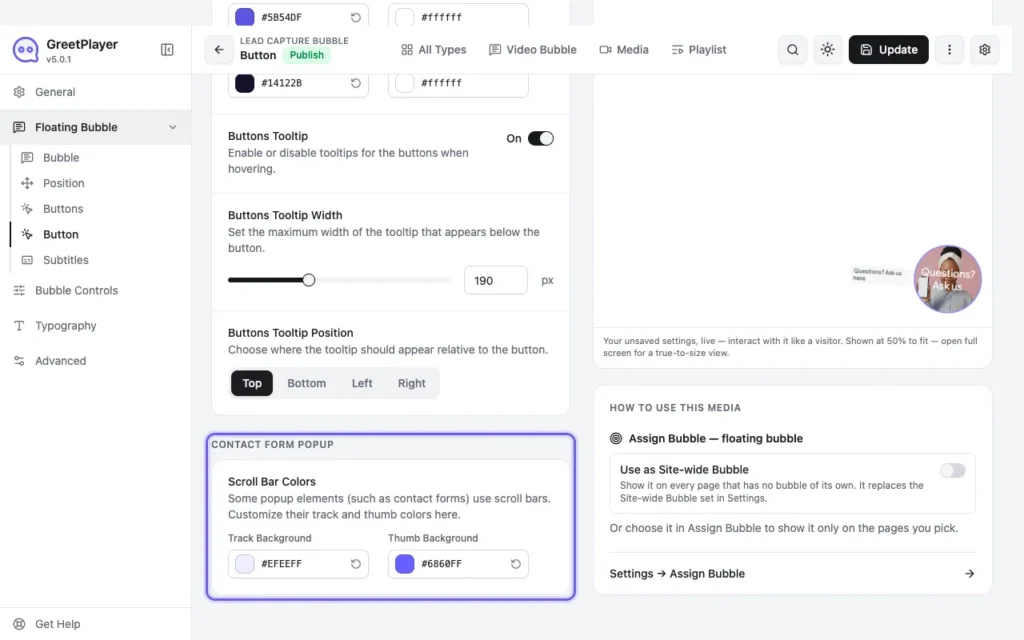
Under Floating Bubble → Button, adjust the Contact Form Popup colours if needed, then click Update.
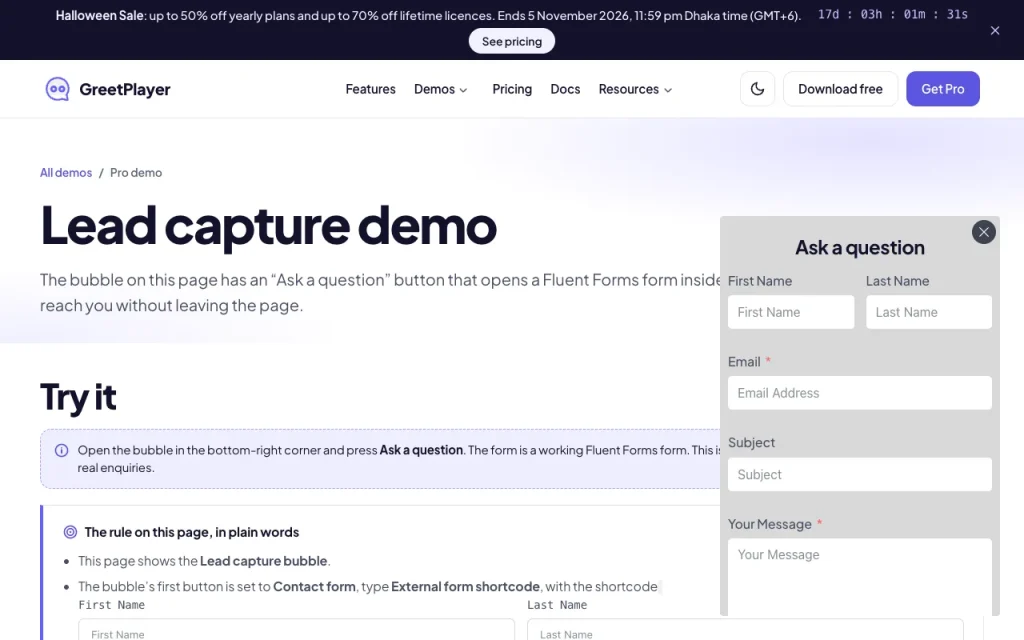
Warning GreetPlayer opens the form from a button. It doesn’t block the video until the form is sent.
See it live Try the lead capture demo →