
Free + Pro Works in GreetPlayer Free. Options marked Pro need GreetPlayer Pro.
An assignment rule gives chosen pages a bubble of their own. Every other page keeps the site-wide bubble.
Step by step
Assign a bubble to specific pages.
-
Build the bubble

Create and publish the bubble for those pages (GreetPlayer → Media → Add New → Video Bubble).
-
Add a rule
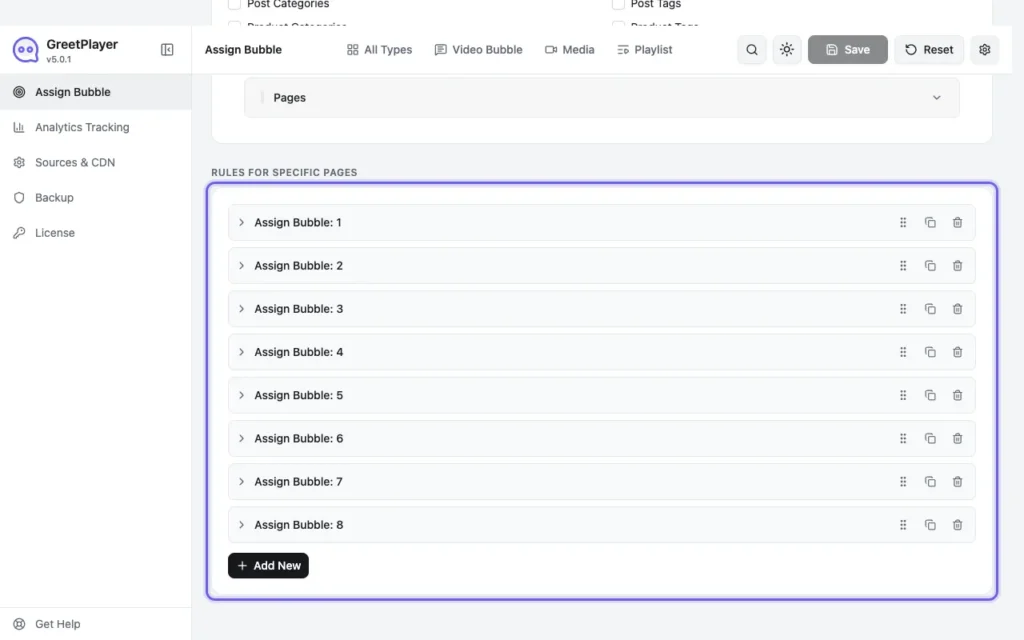
Go to GreetPlayer → Settings → Assign Bubble. Under Rules for Specific Pages, click Add New.
-
Choose the pages

Set Select By to Specific Post(s), Post Type to Page, and choose the pages under Select Page(s).
-
Choose the bubble
Under Select Media, choose the bubble, then click Save.
Note GreetPlayer Free includes one assignment rule. One rule can cover many pages, but they all get the same bubble. GreetPlayer Pro allows as many rules as you need.
See it live Open the landing page bubble demo →